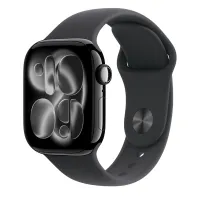
I retested the Apple Watch Series 11 before the new release - 5 stand-out features you should be using before upgrading again
With another Apple Watch release on the horizon, I went back to the current model and wore it for a month to test the health, fitness, and sleep tracking

The Apple Watch Series 11 is thinner, lighter, and packed with more health and smartwatch features than ever before. The Sleep Score, Vitals, and Custom Workout features make it an excellent option for anyone looking to improve their wellbeing. While new quick-charging options are available, battery life remains an issue.
-
+
Lightweight
-
+
Comfortable to wear
-
+
Screen more scratch-resistant
-
+
Better sleep tracking
-
+
Improved daily wellbeing insights
-
+
Quick charging
-
-
Standard battery life is low
Why you can trust Woman & Home Our expert reviewers spend hours testing and comparing products and services so you can choose the best for you. Find out more about how we test.

Almost like clockwork, Apple releases a new Apple Watch every year. Every year, a few new design and software features make me hover over the 'Buy Now' button. But is it always worth upgrading?
With a new release on the horizon, I went back and re-tested the Apple Watch Series 11, which came out in 2025, for one month. I used it as my primary fitness tracker for the month, recording all my steps, workouts, and nights of sleep, and I made sure to use the extensive smartwatch features.
One month in, and I'm very interested to see what's coming on the newest watch since the Apple Watch Series 11 has almost everything you could ever need.
Apple Watch Series 11 review
A quick overview
The Apple Watch Series 11 came out in September 2025 in two sizes (42mm and 46mm) and two materials (aluminium or titanium). Along with the standout software features I found below, the watch has an improved design. The screen has double the scratch resistance of the previous model, it's thinner, and it has a larger battery, which means there's more life between charges.
As standard, you'll get daily movement insights, such as step count and predicted calorie burn. Activity rings haven't gone anywhere, and you'll get hundreds of workout modes. In each of these, you'll get insights related to that activity. For example, you'll see your distance, speed, and duration in a running workout. You can also customise these screens on the Series 11, so they show what you want to see.
Apple Watch remains one of the best smartwatches as well. Basically, anything you can do with an iPhone, you can do on the Apple Watch Series 11. But now, you can do it with 5G connectivity, which means you can leave your phone at home with full confidence that you're connected.
Having also tested the Apple Watch Series 9 and the Apple Watch Series 10 in-house, I've seen what's new in the device over the past two releases. Comparing them to the Apple Watch Series 11 has been interesting. I found most features peaked in the Series 9, especially in workout data and functionality, since this model launched the Double Tap and Smart Stack.
However, many in the Series 11 make it a worthwhile upgrade from either of these two - and certainly it's one to hang onto for a few years if you already own it.
1. Sleep Score

Sleep Score might be old news for some brands, but it's new to the Apple Watch Series 11, and it's impressively accurate. I've always found the best thing about Apple is that they won't be the first to do something, but when they do, it'll be among the, if not the, most accurate.
Simply wear the watch to sleep, and you'll get a detailed overview of your night in a score from 1 to 100, including sleep stages (light, deep, REM), consistency (compared to the last 13 nights), and interruptions (how long you were awake for).
I found the data to be spot on, and the insights in the Apple Health app were easy to follow. They aren't as extensive as you'd get on the Oura Ring 5, for example, but if you're looking to understand your sleep and recovery, it's all you need to improve your sleep.
You don't have to take my word for it, either. The Wall Street Journal reviewed several popular devices at the Harvard Sleep Lab and found that the Apple Watch was the most accurate sleep tracker of the bunch. It also scored points in heart rate monitoring during workouts.
2. Quick charging
Less than 3 days of battery life between charges is pretty standard for smartwatches like this, and you'll find similar lifespans on the new Samsung Galaxy Watch 9 and Google Pixel 5. However, it's still my main gripe with the Apple Watch. I always feel like I have to give something up when using it, as I have to take it off to charge it when I could be recording my sleep, logging steps, or using the smartwatch features.
The Apple Watch Series 11's battery only lasts 24 hours with normal use - or 38 hours in Low Power Mode.
That said, the Apple Watch Series 11 has a new feature, so this isn't so much of a problem: quick charging. You can get 8 hours of life in just 15 minutes on the charger. This was a lifesaver for me on a few nights when I found my battery was almost flat, but I was just about to go to bed (and record my sleep). While I brushed my teeth and got ready for bed, I charged my watch and had enough power to see me through my eight hours.
It's an underrated battery life hack that I haven't seen too many people talk about. If you're thinking of swapping out your Series 11 for the battery life, try this first.

3. Vitals app
The Apple Watch Series 11 has a few new health features worth shouting about, but I found that the Vitals app was the most useful to me, and the one I started looking at more than any other.
Once I'd worn the watch for seven nights, I got my baseline vitals. This includes heart rate, respiratory rate, skin (wrist) temperature, blood oxygen, and sleep duration. For the first few weeks, nothing happened. Then one Monday morning, the watch flagged that my resting overnight heart rate and skin temperature were higher than usual. I got a notification, and two days later, I got a cold.
As well as potentially flagging longer-term health issues (like sleep apnea), I found this very useful for letting me know I was getting ill before I got the symptoms. It didn't change anything, but it did mean I had time to change my schedule for the week and stock up on zinc.
Hypertension monitoring is another worth noting. If you have concerns about your heart health, the heart rate sensor on the Apple Watch Series 11 can pick up irregularities and flag them to you.
Neither feature is for diagnostic use, but they can tell you there's potentially an issue and provide data your doctor may find useful for diagnosis.
4. Smart Stack suggestions

Along with Smart Stack, you have your regular apps just one swipe away. From a camera shutter and on-wrist maps to Shazam, I use these the most.
I've worn a lot of smartwatches over the years. Recently, I weighed up the Garmin Venu 4 vs Apple Watch Series 11, and the Apple Watch won. It is really the best smartwatch out there if you have an iPhone.
Smart Stack was released on the Series 9, but it's got a major upgrade on the Series 11. It's now smarter and takes your location and routine into account and suggests widgets that'll be most useful in that moment. It really pleasantly surprised me when I first saw it, and it has made a noticeable difference to my day.
Instead of just being a collection of personalised widgets, the Series 11 brings up what that moment calls for. For example, I was at the airport recently. My smart stack noticed my location and put my wallet, where I had my boarding pass, at the top. When I get to the office, another regular location, my calendar automatically moves to the top. This is so helpful when I'm inevitably juggling a coffee, my laptop, and phone, and trying to find where my meeting is. It's a small thing, but it made a big difference for me.
5. Custom workouts

If you like working out, know it's important for your health, and want to stay (or to start being) consistent in your exercise routine, with a good amount of data to combine through, then the Apple Watch Series 11 is an excellent option.
In my view, the workout features peaked on the Series 9, but one new one stood out to me: custom workouts. On the watch, you can create a workout (e.g. running, cycling, walking, etc) based on your desired duration, calorie burn, or distance. You can also add a warm-up, cool-down, or interval duration. This knocked it into my list of best running watches as it's a personalised approach to working out and helps make it easier to exercise. Only want to run for 30 minutes? Set the workout duration and go - you'll be told when your time is up.
Workout Buddy is another worth trying. This AI feature will give you a pep talk at the beginning of your workout, shout out achievements as you go (like distance markers) and generally encourage. It wasn't for me, but if you need a little motivation on your next walking workout, give it a go.
Training Load - introduced in Series 10 - remains, which is great for anyone who needs more insights into the intensity and duration of their training. It can help you decide whether you need to make your workouts harder or take it down a notch. It elevated the Apple Watch as a fitness tracker, bringing it in line with sport-specific devices like the best Garmin Watches.
Is the Apple Watch Series 11 still worth buying?
Yes, the Apple Watch Series 11 is certainly worth buying if you're in the market for an Apple Watch before the new year. I've been reviewing fitness trackers for over six years now, and this one pops up in almost every round-up I've written, whether it's the best sleep trackers or running watches.
The new smartwatch, battery life, workout, and design features make it a standout among recent releases.
Given that it's almost a year old now, you may also be able to find a saving on the Apple Watch Series 11. I've found the following: