How to watch Blue Lights season 4 from anywhere - stream the BBC police drama online
Blue Lights is back - and there's no need to miss out on a moment of the gritty action


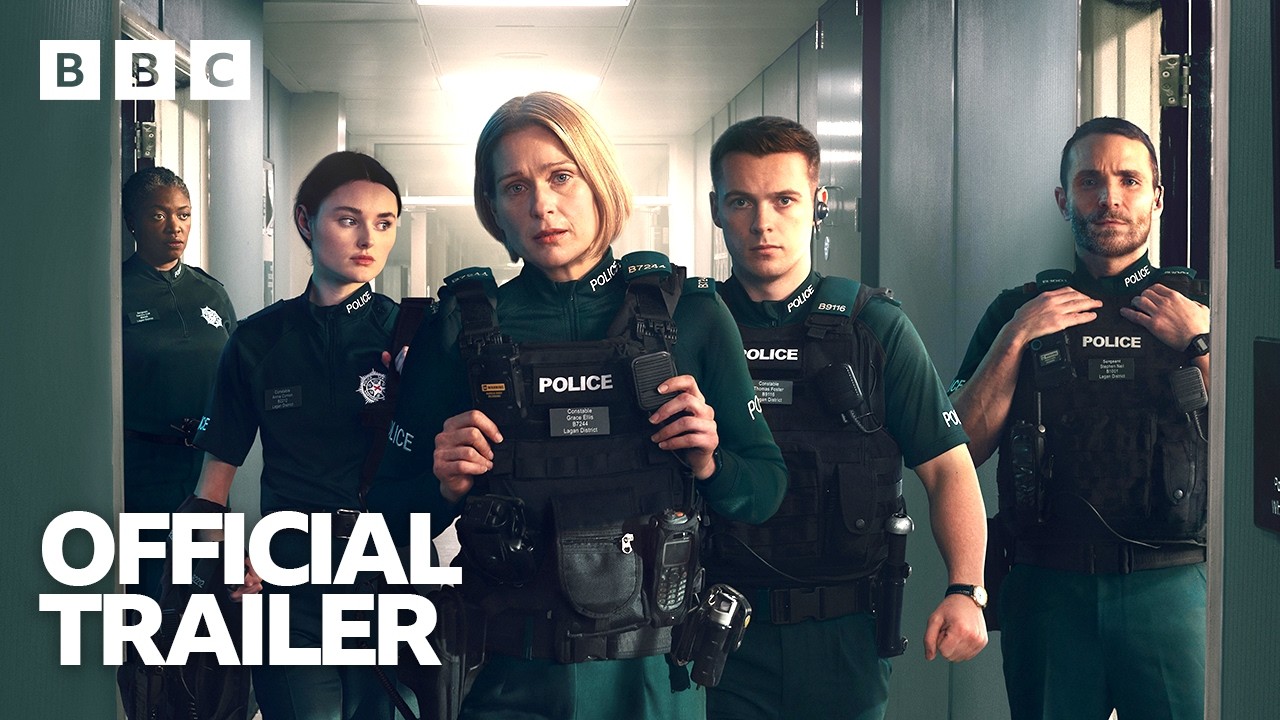
Peelers are here! Blue Lights is back for season 4, and the show's return is one of the most exciting TV events of the year.
Airing on BBC One and BBC iPlayer from September 29, the latest series sees Grace, Tommy, and Annie now three years into one of the most gruelling jobs they could've chosen. This time, their limits are stretched even further than ever, as they face a new street threat and volatile protests.
After his tragic death at the end of season 1, Gerry Cliff's murder trial gets underway. Richard Dormer is set to make a welcome return to the role, and the beloved officer's story building up to his untimely death is revealed through gripping flashbacks.
Secrets unfold that send the police force and the criminal underworld into chaos, as evidence left behind by Gerry sends shockwaves through Belfast.
There's no need to miss out on a moment of this gritty police drama, as we share how to tune in from anywhere in the world.
How to watch Blue Lights in the UK
If you're in the UK, it's very simple to watch Blue Lights season 4, as it's free to watch on BBC One and BBC iPlayer.
Providing you have a TV licence, you can watch the episodes when they begin airing on September 29 at 9.00pm.
You can either watch the episodes weekly when they air, or all at once if you prefer - all six of them will be made available to view at the same time on BBC iPlayer on demand from September 29.
BBC iPlayer is free to use, and all you need is an email address, UK postcode and TV licence to sign up for an iPlayer on demand account.
How to watch Blue Lights season 4 from anywhere in the world
If you’re going to be away from your usual TV set-up when Blue Lights season 4 starts airing, but don't want to wait a single moment to see what the Belfast police have thrown at them this time around, there's no need to worry.
You can still enjoy all six episodes available and potentially for free, with the use of a Virtual Private Network - a VPN.
A VPN allows you to change your IP address to that of the area of what you want to watch, meaning you can tune in to the show, even if you're not there.
Our sister site, TechRadar, has tested all of the major VPN services and they rate Nord to be the absolute best.
They say, "It’s compatible with all of your devices, supports most streaming services, and ranks among the fastest. You can even install it on devices like an Amazon Fire TV Stick, Apple TV, Xbox, and PlayStation. So for a one-stop-shop, you can’t go wrong with Nord."

If you've never installed a VPN before, don't worry, it's quick and easy. Just follow these three steps:
- Download and install the VPN following NordVPN's easy-to-follow instructions.
- Once you've installed your VPN, open the app and select your server location as anywhere in the UK.
- With your VPN installed and server location set to UK, you can now watch Blue Lights season 4 on BBC iPlayer.
